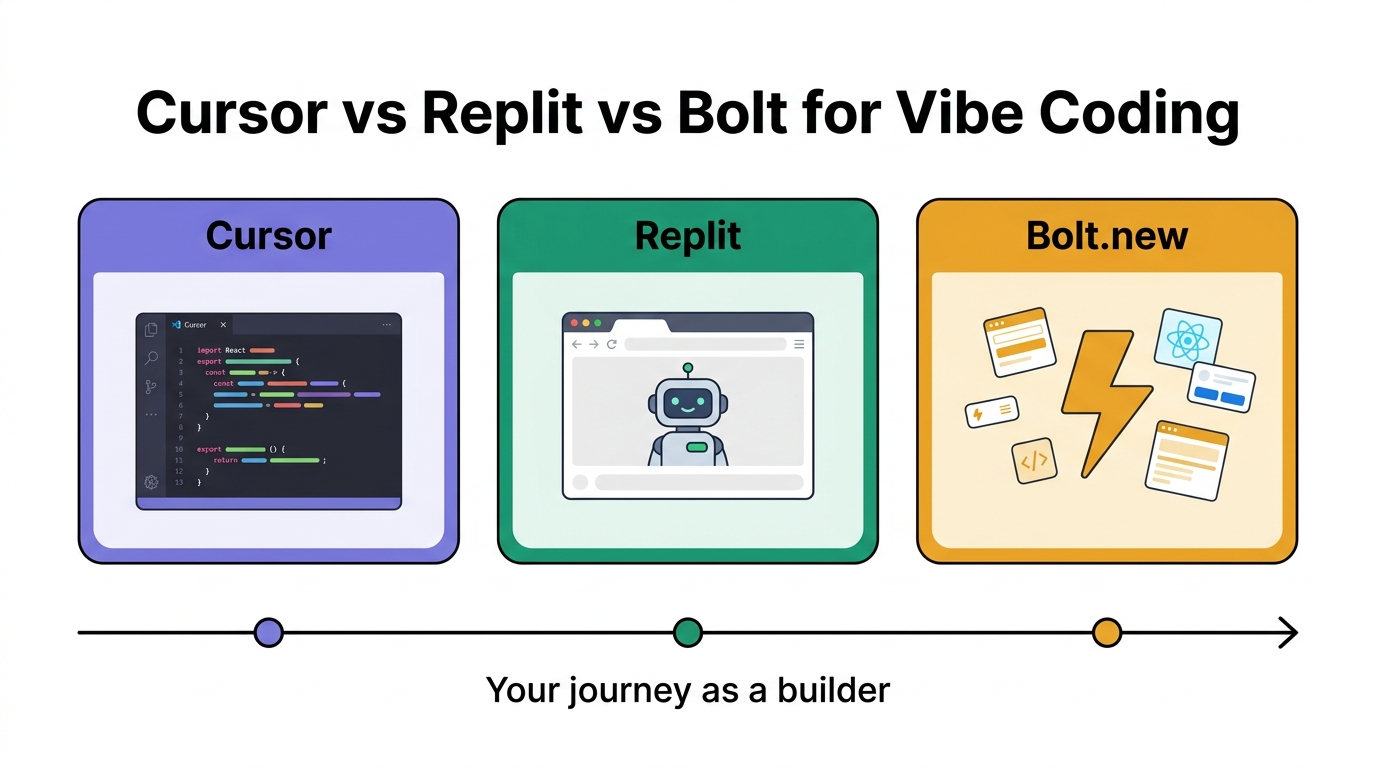
Choosing between Cursor vs Replit vs Bolt for vibe coding is one of the most common mistakes new builders make, and it’s usually made after watching a YouTube demo, not after actually using the tools. Two weeks in, they hit a wall: the tool can’t do what they actually need, the billing blows past their budget, or the code it generates is impossible to debug. This article fixes that problem before it costs you time and money.
Cursor, Replit, and Bolt are not interchangeable options. They solve different problems at different skill levels, and treating them as equals is the first mistake people make. At Amayzing AI, we’ve been tracking and reviewing AI coding platforms closely as this category exploded through 2025 and into 2026. The pattern is consistent: the wrong tool choice isn’t just inconvenient, it derails real projects.
By the end of this article, you’ll know exactly which platform fits your situation. Not “it depends on your goals.” Concrete recommendations, with specific workflows attached.
What Cursor, Replit, and Bolt Actually Are (and Aren’t)
The most common misconception is that these three tools are basically the same product wearing different clothes. They aren’t. They serve genuinely different workflows, and conflating them leads to the frustration most people experience after their first two weeks with any vibe-coding tool.
Cursor: An AI IDE for Developers Who Want Control
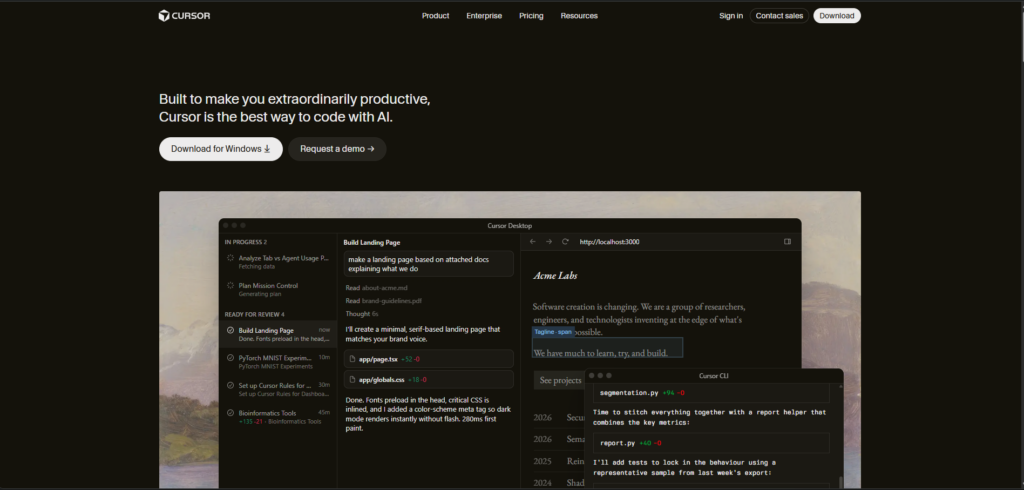
Cursor is a fork of VS Code with AI baked directly into the editing experience. It gives you multi-model access across Claude, GPT, and Gemini, with an Auto mode that selects the right model based on task complexity. Its Composer mode handles multi-file edits autonomously, which is genuinely powerful for refactoring or building features across an existing codebase. Cursor runs as a desktop application with local file access and also supports cloud-backed model calls, meaning you work within your own environment rather than inside a vendor’s hosted platform. It expects you to understand what a codebase is. If that last sentence feels intimidating, Cursor is probably not your starting point. (More background on the project is available on the Cursor (code editor) page.)
Replit: Browser-Based, Beginner-Friendly, and Collaborative
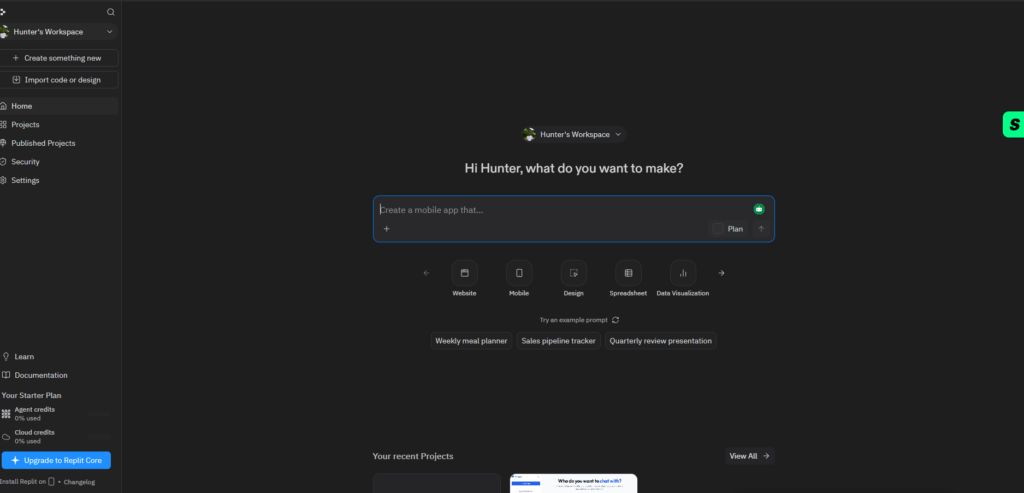
Replit is an in-browser IDE built for AI coding without any local setup. No installation, no terminal, no configuration. Replit Agent can autonomously plan architecture, configure databases, and run tests from a single prompt. It’s the most accessible entry point for absolute beginners and the best option for anyone who wants to build something functional without touching a command line. The tradeoff is that the autonomy cuts both ways: when something breaks, understanding why requires reading code you didn’t write line by line.
Bolt.new: Fast Frontend Generation with Zero Setup
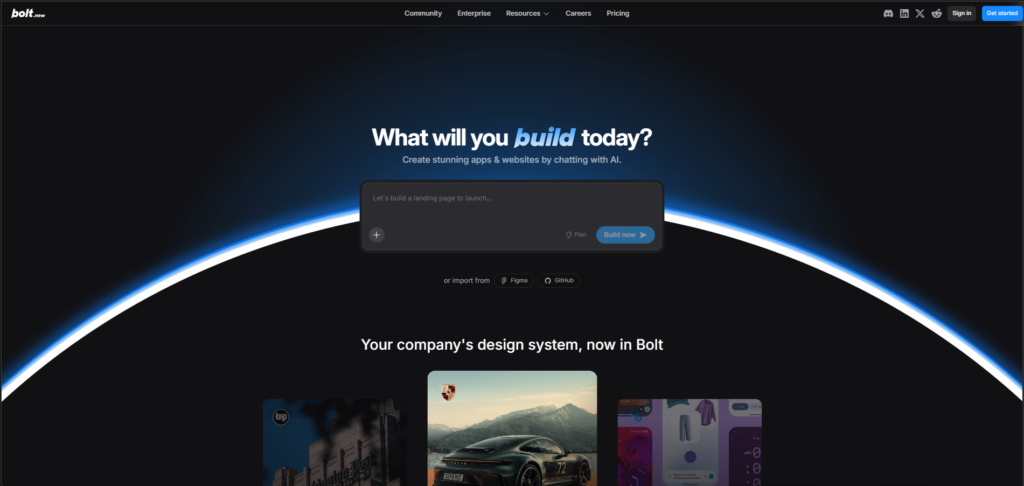
Bolt is the most opinionated of the three. It specializes in spinning up frontend prototypes using React and Vite in under a minute, and it exports portable code with no platform lock-in. It does not pretend to be a full-stack production tool. That honesty is actually one of its strengths. Bolt is fast, focused, and excellent at the narrow thing it does. The moment you need a backend, authentication, or data persistence, you’re reaching for something else.
Ease of Use: Who Each Tool Is Actually Built For
The honest answer to “which is easiest” isn’t a single name. It depends entirely on what you’re trying to build and how much tolerance you have for setup friction at the start.
Getting Started: The Real Onboarding Gap Between the Three
Bolt requires the least prior knowledge. You describe what you want in plain English and get a working frontend in seconds. Replit is close behind, with Replit Agent handling project scaffolding autonomously inside a browser window. Cursor requires downloading the app, understanding your project’s file structure, and knowing enough to direct the AI meaningfully toward your actual goals. For a non-developer, that gap matters. It’s not insurmountable, but it adds real friction in the first week.
Where Each Tool Loses Beginners (and Why It’s Worth Knowing Upfront)
Cursor becomes confusing fast when you can’t read the code it’s editing. The AI makes changes across multiple files simultaneously, and without a mental model of how those files relate, you’re flying blind. Replit Agent can run autonomously for up to 200 minutes on a single task (per Replit’s documented session behavior), but the results can be genuinely difficult to debug if something breaks mid-session. Bolt’s simplicity is also its ceiling: once you outgrow frontend-only prototypes, the tool has nothing more to offer. Knowing these limits upfront saves you from switching platforms under deadline pressure.
Cursor vs Replit vs Bolt for Vibe Coding: AI Code Quality Compared
Speed of generation is easy to measure. Quality is harder. What matters isn’t just whether the code runs, but whether you can work with it, extend it, and hand it to someone else without a full rewrite.
Cursor’s Multi-Model Approach and Why It Matters
Cursor’s Auto mode selects from OpenAI, Anthropic, and Gemini depending on task complexity and reliability. For refactoring an existing codebase or resolving multi-file bugs, this flexibility produces noticeably cleaner output than tools locked to a single model. Based on self-reported usage data from Cursor’s community forums, users consistently describe code acceptance rates of 80 to 90 percent on complex edits, noticeably higher than what they report for simpler AI assistants. That gap compounds over a real project where dozens of edits happen daily. If you want a hands-on walkthrough of Cursor’s editor features, the Cursor AI code editor tutorial is a concise starting point.
Replit Agent’s Autonomous Generation: Impressive but Messy
Replit Agent shines at building full-stack prototypes from a brief description. Where it handles architecture decisions, database configuration, and end-to-end testing in one pass, Cursor requires you to direct each phase explicitly, a real advantage for beginners who want results fast. The tradeoff is output quality: Replit Agent’s code is often inconsistent in style, and in informal evaluations comparing AI coding tools, Replit Agent’s output has scored materially lower on code quality metrics than Cursor’s. Debugging a project you didn’t write line by line is a genuinely frustrating experience, especially for beginners who trusted the autonomy.
Bolt’s Frontend Speed and Its Hard Limits
For landing pages, marketing dashboards, and UI mockups, Bolt generates clean, portable React code faster than any direct competitor. The output is readable, the file structure is sensible, and you can download everything and host it anywhere. No backend support means anything requiring data persistence or user authentication has to be wired up in a separate tool. For pure frontend work, Bolt earns its reputation. For anything beyond that, it reaches its ceiling quickly.
Pricing: What You Pay and What You Actually Get
Pricing transparency varies significantly across these three platforms, and misunderstanding the billing model is one of the most common reasons hobbyist builders get hit with unexpected charges.
Cursor’s Credit-Based Billing Explained Plainly
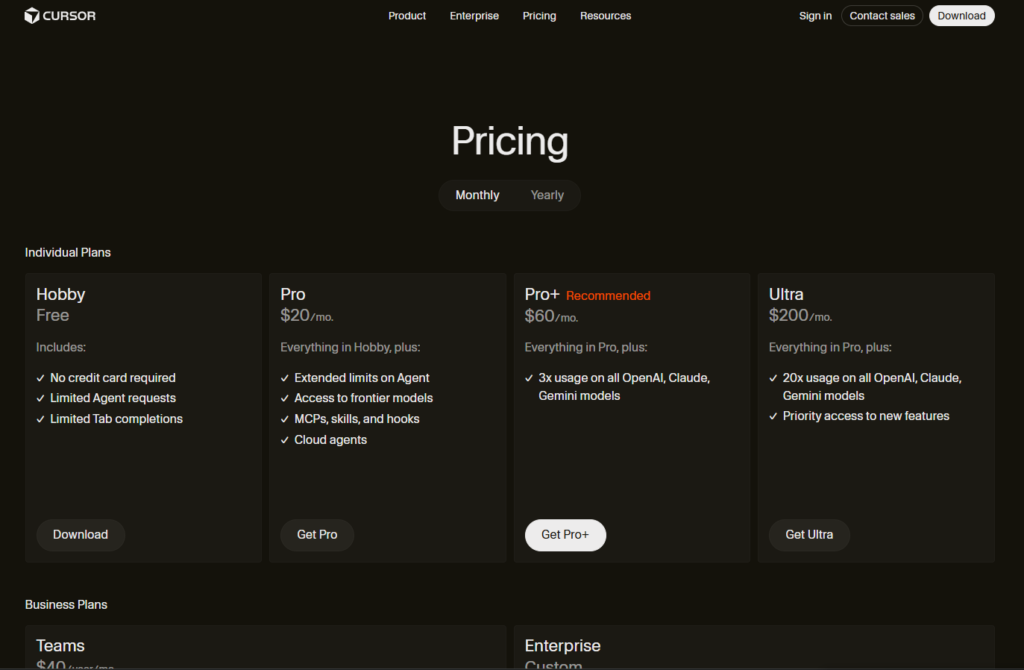
Cursor offers six tiers ranging from a free Hobby plan to a $200 per month Ultra plan (see Cursor pricing guide for current details). The critical thing to understand is that paid plans run on usage credits billed at API rates, not flat request counts. Heavy use of large-context models in MAX mode burns through the $20 Pro plan faster than most beginners expect. Forum threads across Reddit and Cursor’s own community board are filled with users describing $10 in credits gone within the first week of normal use. Light users will find the free Hobby tier genuinely useful for evaluation, but anyone building seriously should budget for overages or step up to Pro+ from the start.
How Replit and Bolt Structure Their Costs
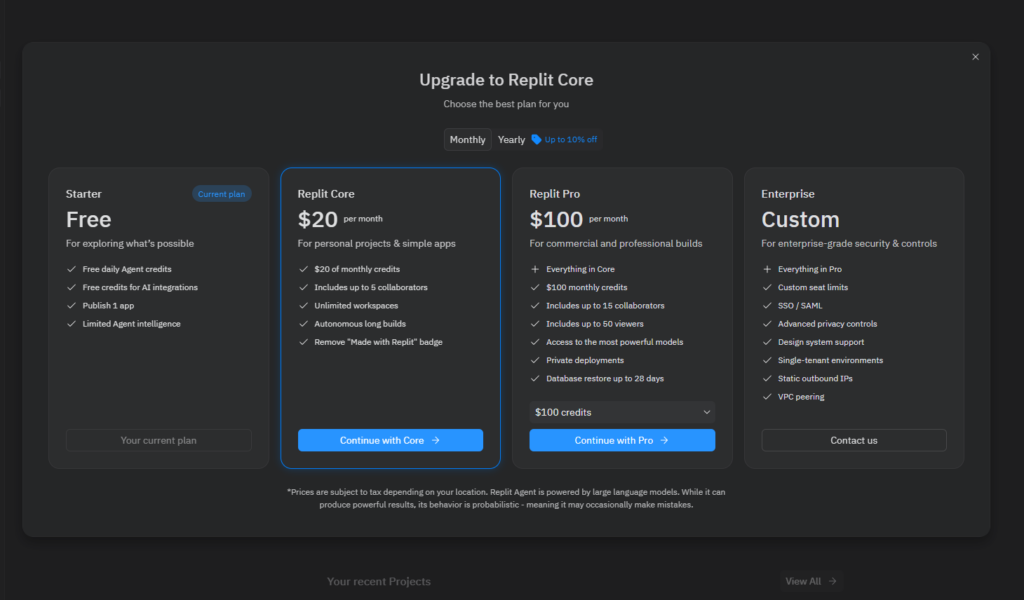
Replit updated its pricing in early 2026, moving to a Core plan at $25 per month and a Pro plan at $100 per month for teams (verify current figures at Replit’s pricing page, as billing structures in this category shift frequently). Both plans include monthly credits covering compute, AI usage, and storage, with overages billed extra and no hard caps to protect you from surprise charges. Bolt’s token-based model starts with a free plan at 1 million tokens per month with a 300,000 daily limit, then scales to paid tiers starting at $25 per month for 10 million tokens (current limits available on Bolt’s pricing page). For occasional prototyping, both free tiers are workable. For daily use at any serious volume, the paid plans become nearly essential within the first month.
Production Paths: What Happens After the Prototype
This is the question most comparison articles skip, and it’s the most important one for anyone thinking beyond the demo stage.
Can You Actually Ship Something with These Tools?
Cursor works within your existing stack and deployment pipeline. If you’re already using GitHub Actions, Vercel, or Docker, Cursor fits without friction. Bolt exports portable React and Vite code you can host anywhere without platform dependency, and apps built with Bolt have been shipped publicly through Netlify integration and Bolt’s own hosting. Replit has its own cloud hosting environment, which is convenient but creates a real infrastructure dependency for anything you want to keep running long-term. For a broader look at modern CI/CD tools and how they fit into deployment workflows, that overview is a useful reference.
Where Each Platform Hits Its Ceiling
None of these tools has a documented track record of long-term production maintenance at scale, which matters before you build anything business-critical on them. Cursor comes closest to production-readiness for serious projects because it operates inside your controlled environment and doesn’t own your infrastructure. Bolt is powerful for frontend delivery but requires a separate backend strategy the moment your product needs real data. Replit is best treated as a prototyping and learning environment, not a long-term production host for business-critical applications. That’s not a criticism; it’s an accurate description of what it’s optimized for.
Which Tool Fits Your Situation: Cursor vs Replit vs Bolt for Vibe Coding
You now have a framework. Here’s how to apply it, concrete recommendations organized by use case, no hedging.
Non-Technical Founders and Rapid Prototyping
Start with Bolt for anything UI-focused: landing pages, dashboards, product demos, investor-ready mockups. It’s the fastest path from idea to something you can put in front of a real person. If your prototype needs a backend, move to Replit Agent to build the full-stack layer on top. This two-tool stack covers most MVP workflows without requiring you to write code manually, and it keeps the cost manageable at the prototype stage.
Hobbyist Coders and Indie Developers Who Want to Grow
Replit is the better long-term learning environment for anyone starting from scratch. The browser-based setup removes friction, the free tier is genuinely usable, and Replit Agent teaches you how a real project is structured even when it writes the code for you. As your skills develop, graduating to Cursor makes sense for more complex projects where you want control over your codebase and deployment pipeline. The progression from Replit to Cursor follows naturally once you start running into Replit’s autonomy limitations.
Where Amayzing AI Fits Into Your Toolkit
You’ve now got a working framework for the Cursor vs Replit vs Bolt decision, but all three of these tools evolve fast. Pricing changes, underlying models get swapped out, new competitors emerge monthly, and the tool that was the clear winner six months ago may have been leapfrogged. At Amayzing AI, we publish vetted, up-to-date reviews of Cursor, Replit, Bolt, and the emerging AI coding platforms you haven’t heard of yet, organized by use case so you can find what you actually need without wading through a hundred listings. If you want to stay ahead of the curve without spending hours researching every changelog and pricing update, it’s worth bookmarking.
The Bottom Line
When comparing Cursor vs Replit vs Bolt for vibe coding, the verdict is straightforward: Bolt for speed, Replit for accessibility and learning, Cursor for control and production depth. Pick based on your current skill level and project scope, not the longest feature list or the most impressive demo video.
Pick one of these platforms based on where you are right now, not where you hope to be in six months. Try it for a week with a real project, even a small one. Make your decision from that experience, not from more research. The clarity you get from building something beats any comparison article, including this one.
And when the tools change, which they will, the Amayzing AI weekly newsletter is the fastest way to track how these platforms shift and discover the next wave of AI coding tools before they go mainstream. One email per week. No noise.